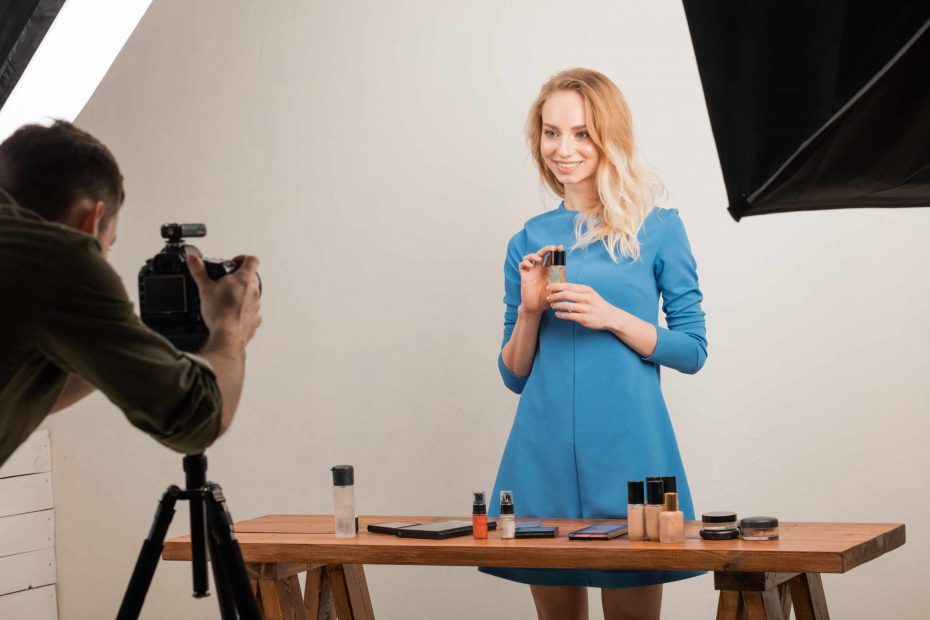
Glare can make a small product look cluttered despite the object being clean and the background simple. A bright white streak across a glass jar, a hard spot on plastic packaging, or a reflected window on metal that has been polished can hide what you wished to reveal. The object can still be in focus, yet its surface looks unreadable since its reflection is more dominant than its shape.
The first step is realizing that glare is often caused by the interaction between the light source, the object surface, and the angle of the camera. Glossy objects behave like tiny mirrors. When light reflects directly off a surface into a camera lens, the camera registers this bounce as a glaring reflection. Simply by moving the object a bit, altering the angle of the camera slightly, or even adjusting the direction from which the light reaches the object, the glare can slide away from the label, border, pattern, or the feature that was to be captured.
Conduct a mini experiment before assembling your full tabletop. Set a single glossy object on a plain surface by a window or under a table lamp, and take a photograph, then change the object’s rotation a few centimeters and take another shot. Now, hold the object still and shift the camera a bit to the left or right, and shoot again. When you look at the images, examine the glare only to see it move. This practice will show you that glare is not a static entity, but rather one that changes when you alter your setup’s geometry.
Diffusion is a mild fix. If you place an inexpensive white curtain, translucent tissue, wax paper, or any other safe diffuser between the light source and the subject, light will spread over a greater surface area. The reflection is still likely visible but has become softer and less obtrusive. This can be very effective on plastic packaging, glazed pottery, glossy labels, and glassware. Make sure to not place flammable objects near light sources that will get very hot, and don’t make the setup so complex that you can’t spot what is changing.
A reflector card works, but you can’t just place it in a shadow without thinking first. Once the light hits only the non-reflective side and the subject is too dark on one side, you can put up a white card on the darkened side of the object. When it’s too bright overall, remove it, or move the reflector further away. You don’t need to erase all of the contrast. You want to keep some shape, form, and texture, as long as the harsh mark isn’t obscuring the important part.
Black, glossy objects can pose a significant challenge as they will reflect the environment. Any part of the room around the product will appear. This might include the light from the window, the reflection of a photographer’s hands, the camera, or other colorful, reflective objects in the vicinity. Before you begin to photograph at your setup location, make sure the area is clear. Wear dark clothing so that your reflection is not obvious in the surface, and check the border of the image for bright spots in unexpected places. A black card near the product may also give a darker, smoother-looking reflection, allowing the subject to appear calmer.
If the light is still a problem, slow down, and make small changes one at a time, checking your photos after each move. Move the light, check, shift the camera, check, add some diffusion, check, rotate the subject, check. The question that will yield more results than, “How do I get rid of all reflections?” is, “Does this reflection contribute information about the object’s surface, or does it hide details that I was trying to reveal?” A well-controlled reflection makes the surface of an object like glass or metal or glossy packaging more believable. Glare that covers the product’s message or design will just need another tweak.